Idle Games Online: 3 Browser Picks for Short Sessions
Updated September 24, 2026 · Playiio genre guide
Idle games are built around a satisfying loop: start a small system, improve it, then watch each upgrade make the next session easier. This guide explains the difference between idle, clicker, and incremental games before pointing you to browser-friendly picks on Playiio.

Start here
Quick answer: what are idle games online?
Idle games online are browser games where progress comes from a repeatable system rather than a single difficult level. You collect a resource, spend it on a faster tool or helper, and return to find that the loop has become more productive. Some games keep working while you are away; others simply make each short visit feel more efficient.
The label is broader than “clicker.” A clicker can begin with repeated taps, an incremental game can focus on exponential upgrades and resets, and a tycoon-style game can wrap automation in a management theme. The useful question is not whether a title uses one perfect label. It is whether the game gives you a clear next upgrade without demanding a long setup.
Small time commitment
A good idle browser game should make progress visible within a few minutes, not after a long tutorial.
A readable upgrade loop
You should know what a new tool, helper, multiplier, or reset changes before spending the resource.
Low-pressure momentum
The best sessions give you a reason to return without making every minute feel like a timed challenge.
What makes a game idle?
Use the table below as a practical filter. It is more useful than choosing a title only because a store or directory placed the word “idle” in its tag list.
| Style | Core loop | Best for | Playiio context |
|---|---|---|---|
| Clicker | Tap or click to earn the first resource, then automate part of the work. | Players who want immediate feedback. | Dirt Clicker is the closest local example. |
| Idle | Helpers or systems keep producing while interaction is light or paused. | Short check-ins and relaxed progress. | Look for clear automation and a save explanation. |
| Incremental | Each upgrade changes the scale of the next resource cycle, often with resets. | Players who enjoy compounding systems. | Use the upgrade and prestige language on the game page as the guide. |

The first five minutes matter
A strong idle game explains its loop quickly: gather, buy, improve, repeat. If the screen is busy but you cannot tell what your next purchase does, the game may be an arcade or management title with an idle label rather than a comfortable idle experience. That distinction is especially important on a phone, where a small frame and touch controls can make complicated menus feel slower than the numbers suggest.
How to choose an idle browser game
Before opening a dozen tabs, use this four-question check. It keeps the search focused on the kind of session you actually want.
- 1
Do you want active clicking or mostly automation?
Choose clicker if you enjoy building the first boost yourself. Choose idle if you want the system to keep the routine light.
- 2
Can you see the next useful upgrade?
A clear cost, effect, and reason to buy is more valuable than a screen full of unexplained currencies.
- 3
Does the session fit your break?
For a two-to-five-minute break, prefer a game that reveals a reward quickly instead of hiding progress behind a long unlock chain.
- 4
Will the controls work on your device?
Try touch, keyboard, and fullscreen options early. An excellent loop is still a poor pick if the frame is hard to read.
Progress should feel earned, not hidden
The best idle web games make the cause and effect obvious. You spend a resource, the output changes, and the next goal becomes visible. In a mining or clicker theme, that might mean a stronger tool, a helper that produces while you pause, or a deeper layer with a new reward. If the game only shows bigger numbers without a meaningful decision, it may be better as a quick novelty than a game you return to.
Playiio picks
Three browser-friendly starting points
The current library has one clearly documented idle/incremental match and two adjacent progression picks. That distinction is intentional: it is better to give you a useful starting point than to call every merge or arcade game an idle title.
Dirt Clicker
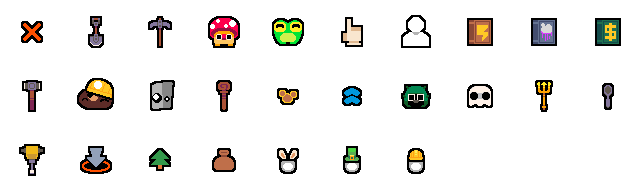
Start with a patch of ground, break it open, collect unusual finds, and spend Dirt on stronger tools and helpers. Its existing page explicitly describes the clicker, idle, mining, and upgrade loop, so it is the most defensible answer when someone asks for an idle browser game on Playiio.
Play Dirt ClickerNelly Jellies: Cozy Merge
Choose this when you like combining pieces and watching a board evolve. It is a merge-style adjacent experience, not a claim that every session runs as a pure idle loop.
Open game pageMergest Kingdom
Try this if you prefer merge-and-build progression with a longer-term goal. Treat it as a comparison point for the genre, because the current Playiio listing does not label it as a pure idle game.
Open game pageHow to start a short session on Playiio
Pick the loop
Start with Dirt Clicker if you want the clearest clicker-to-idle progression.
Watch one cycle
Spend the first minute learning what produces resources and what each upgrade changes.
Use the device well
Try fullscreen or landscape mode if the game frame feels small on a phone.
Return with a goal
Come back when you want to check a helper, tool, chest, or next layer—not just to chase a number.
Common questions
Idle games online FAQ
Do idle games online need a download?
Playiio games open in a modern browser, so you can start without installing a separate app or desktop client. External game frames can still have their own loading behavior, controls, or device limits.
What is the difference between an idle game and a clicker game?
A clicker game usually asks for repeated taps or clicks at the start, while an idle game puts more emphasis on automation and progress that continues after you stop interacting. Many titles sit between both styles, which is why incremental is a useful middle term.
Can I play idle browser games on a phone?
Often, yes. Playiio pages are designed for modern mobile browsers, but touch controls, frame size, and performance can vary by game. Try landscape mode or fullscreen when the play area feels cramped.
Does progress save in every idle web game?
No. Dirt Clicker saves progress in the current browser, while third-party embedded games can use different save systems. If a run matters, check the game page and avoid clearing browser storage before you finish.
The short version
If you want a low-pressure browser game with a visible upgrade loop, start with Dirt Clicker. If you want more games to compare, return to the full game library or browse arcade games for shorter, more active sessions. For a mix of puzzle, word, merge, and arcade picks, see our best browser games guide. For focused merge picks, compare our merge games online guide.
How this guide uses the word “idle”
Genre labels vary between game directories. This page uses “idle” as a practical description for light-input, automation, clicker, and incremental loops; it does not promise that every adjacent merge or management title keeps producing resources while you are away. For a broader community tag taxonomy, you can also compare the Idle tag on itch.io.